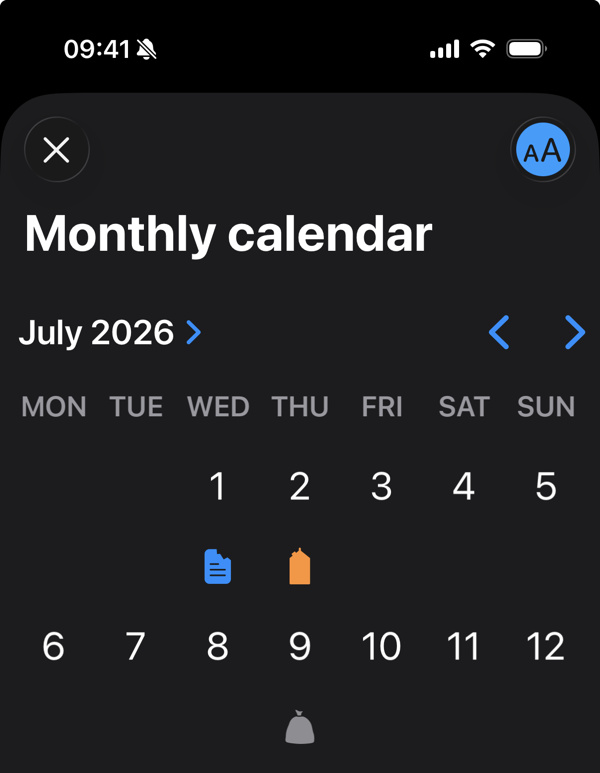
Enlarge text size programmatically
Apple's standard controls and views make life a lot easier for developers, by taking away the need to implement complex views ourselves. This often saves us hours or days of finding little bugs or edge cases. But sometimes, Apple does drop the ball and gives us a very subpar experience. Take UICalendarView as an example;
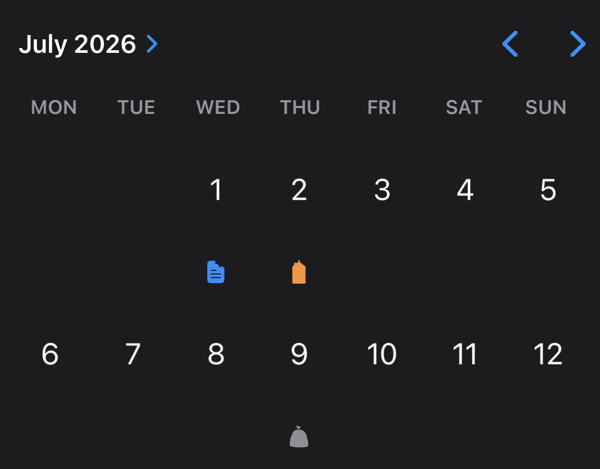
At a glance, the icons are very small, with no good way of making them larger. So, I'd like to improve this by allowing people to enlarge the text size, making the icons more legible.
Use dynamic text size
We can restrict SwiftUI view's to adopt a certain text sizes, by using .dynamicTypeSize(_:), without requiring people to change the app's or system's text size completely. For example, we can specify that a view must always use the xxxLarge text size;
Text("Big text")
	.dynamicTypeSize(.xxxLarge)
However, doing so would prevent the user from getting bigger text, if they have their text size set to something higher. Luckily, we can also specify a range of DynamicTypeSize with a lower bound;
Text("Big text that grows further")
	.dynamicTypeSize(.xxxLarge...)
	// Note the three dots, making it a range.
You can also limit the upper bound, making sure the text size never becomes larger than something. However, if you use this, you should always allow the size to grow at least to .accessibility3, since that's sets the text size to 235%. The step below that is .accessibility2 at 190%, which is below most accessibility requirements;
Text("Big text, but not too big")
	.dynamicTypeSize(...DynamicTypeSize.accessibility3)
Make it a preference
Giving users a choice on whether they want to increase the text size is generally a good idea. We can add a toggle that turns the enlarged text on or off and save the setting in AppStorage.
struct ContentView: View {
@AppStorage("enlargeText") var enlargeText: Bool = false

	var body: some View {
		Toggle("Enlarge text", isOn: $enlargeText)
		Text("Hey, listen!")
			.dynamicTypeSize(
				enlargeText
				? DynamicTypeSize.xxxLarge...
				: DynamicTypeSize.xSmall...
			)
	}
}
With this setup, people can decide themselves whether they want to have bigger text or not.
In practice
Using this technique, we add an 'Enlarge text' toggle to our the calendar view of the example. Increasing the text size makes the icons more legible. And the setting is remembered, so you won't have to touch it again if you don't want to.